One printer.
One paper size.
One sheet per order.
PrintGang is the missing link between GotPhoto and Darkroom for studios that print their own work. Sell sibling sheets, wallet sets and multi-aperture products, and get them back as one finished sheet instead of a pile to sort.
Available now, in daily use in working studios. £59 one-off. Windows.
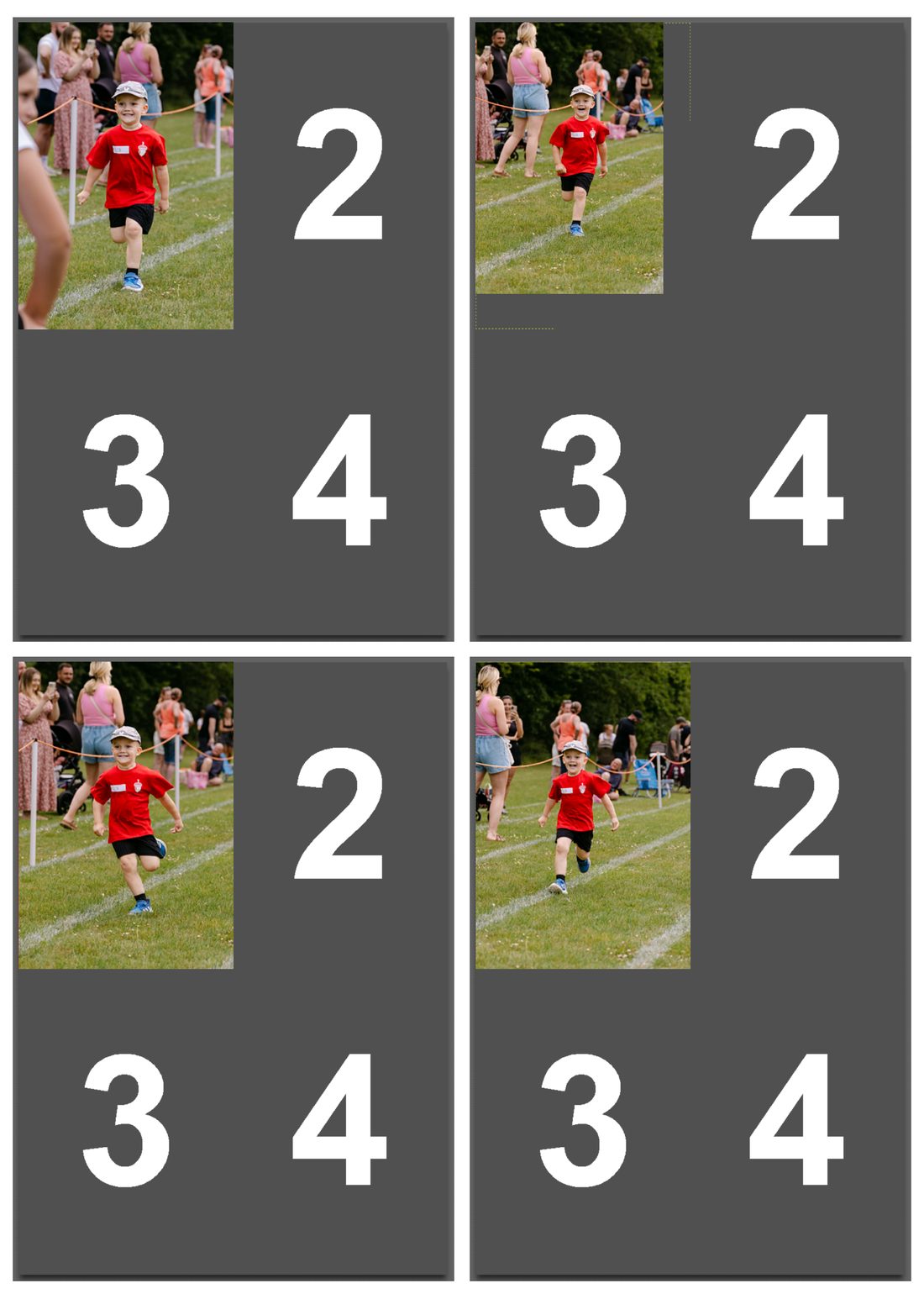
Four sheets to print, trim, match up and pack.
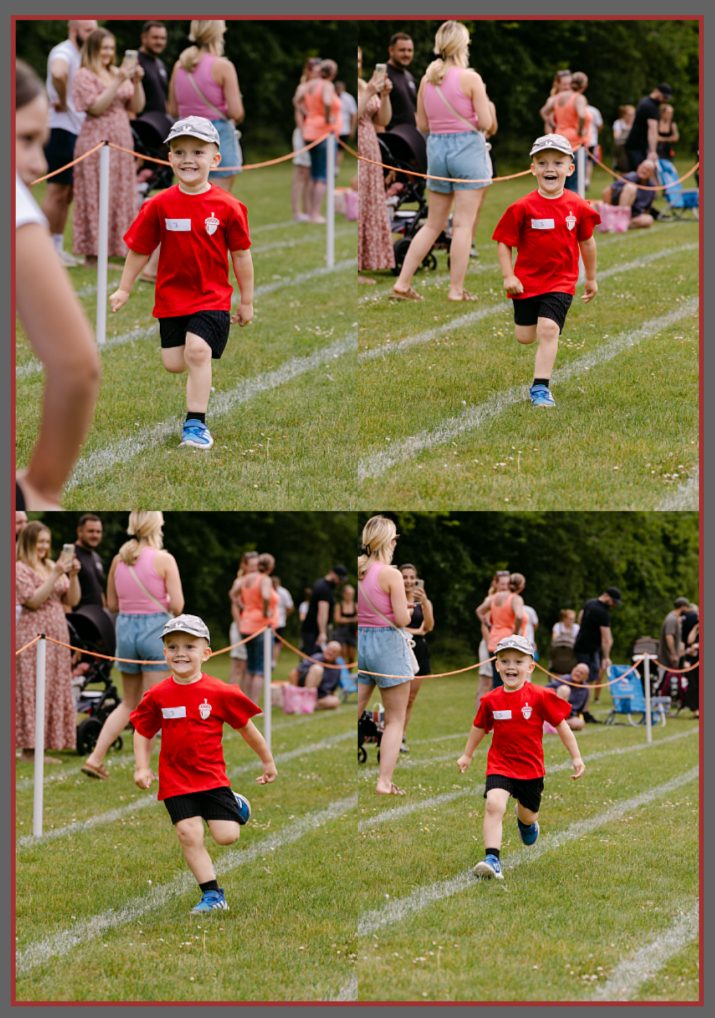
One sheet. One order. Nothing to collate.
The bit that goes wrong
GotPhoto sends every ordered photo to Darkroom as its own print job. That is fine for a single 7x5. It is not fine for a product that is meant to be several photos on one sheet, because Darkroom is never told they belong together.
So each photo lands on its own sheet with the other cells left empty, and you either waste the paper or rebuild the sheet by hand.
PrintGang sits between the two and hands Darkroom the same order in a form it understands, so the photos that belong on one sheet arrive on one sheet.
What that means day to day
Any layout you can build
Two-up, four-up, wallet sets, mixed sizes on one sheet. If you can lay it out in Darkroom, PrintGang can fill it.
Sheets come out full
Photos are matched to the cell that fits them, and sheets are packed as completely as the order allows.
One order stays one order
Photos from different customers never share a sheet, even when fifty orders arrive in the same batch file.
Individual and batch orders
Home delivery orders and school batches can be handled separately, each arriving where you want it.
Everything else is untouched
Single prints, enlargements and anything without a multi-photo layout carry on exactly as they do now.
Runs on its own
Starts with the computer, before anyone logs in, and keeps working whether or not you have it open.
Check before you print
Preview any order and see exactly which photo lands in which cell, without sending anything to the printer.
What that lets you sell
Most of these are products studios already want to offer and quietly avoid, because assembling them by hand costs more than they make.
Sibling and family sheets
Two children side by side on one keepsake, rather than two prints in the same envelope.
Multi-aperture mounts
One sheet slides straight into the mount. No aligning three prints from two different printers.
Greetings cards
One photo on the front, a different one inside, printed together on the same sheet.
Keyrings and decorations
Different photos front and back, or a set of four, arriving together and easy to cut.
Wallet packs
A feature print and its wallets on one sheet, priced as a package and produced as one.
Full-sheet delivery
Post one flat sheet and let the customer trim, the way packs were sold for years.
Setting it up
Once per product. After that you can forget it is there.
Lay out your sheet
Build the template as you normally would, with a cell for each photo the product contains.
Describe the sheet
List the cells in order and the print size of each. That is the whole configuration.
Put it on sale
Sell it as you sell anything else. Orders arrive and come out as finished sheets.
Before you buy
PrintGang plugs two pieces of software together, so both need to be in place. Please check all five before ordering.
Windows only
PrintGang does not run on a Mac. There is no Mac version of Darkroom Professional, so there is nothing for it to work with. Windows 10 or 11.
A GotPhoto account with your own lab
You need your own lab configured inside GotPhoto, rather than printing through theirs.
Order files switched on
Speak to GotPhoto and ask them to enable exporting your orders as text or XML files. PrintGang reads what they send.
A printer Darkroom can drive
Darkroom Professional has built-in drivers for the main mini-lab and dry-lab printers, and can also print to many others through their ordinary Windows driver. Check the supported hardware list before you order. If your printer is not on it, ask Darkroom for a trial licence and test printing before committing to anything.
A paid Darkroom Professional licence
The standard Darkroom trial will not work, even for testing — hotfolders and templates are both disabled in it, and it gives no warning that they are. Darkroom can issue a full trial licence if you ask them directly.
Pricing
Buy it once. No subscription, no per-order fee, no limit on how many orders you run through it.
PrintGang
- The software, and updates
- Unlimited products and orders
- Setup guide written for photographers
- Email support
Set up for me
- Everything in PrintGang
- Installed and configured remotely
- Up to five packages built in GotPhoto
- Darkroom templates to suit those packages
- Training on the whole process, from order to printed sheet
- WhatsApp support for your first month
Get PrintGang
PrintGang is finished and in daily use. There is no instant download, because it does not suit every setup and what it needs configuring to do depends on your printer and the products you sell.
Fill this in and it comes straight to me. I will reply within 24 hours. If what you have told me is not a good fit, I will say so rather than sell it to you. If it is, I will send an invoice, and the software and written instructions follow.
Your details are used to answer you and nothing else. No list, no forwarding, no marketing. How your details are handled.
Questions
Does it change how GotPhoto or Darkroom work?
No. You sell in GotPhoto as you do now and print from Darkroom as you do now. PrintGang sits quietly between the two.
What happens if I stop using it?
Orders flow exactly as they did before. Nothing about your products, templates or settings depends on it staying installed.
Do I need to be technical?
You need to be comfortable building a template in Darkroom and adding a product in GotPhoto. If you can do those, you can set this up. If you would rather not, the setup service exists for that.
What if GotPhoto adds this themselves?
They might, and we have shared what we know with them to help. That is part of why this is a one-off price rather than a subscription — you are not tied into paying for something that may one day be built in.
How many computers can I install it on?
One licence covers the computer that talks to your printer. If you move to a new machine, you can move the licence with it.
What do I need before it will work?
Windows, a GotPhoto account with your own lab, order file exporting switched on by GotPhoto, and a paid Darkroom Professional licence. There is more detail under before you buy.
How do I pay?
Fill in the form and I will look at your setup first. If PrintGang is right for you, I will send an invoice, and the software and its instructions follow once that is settled. Nothing is taken automatically and there is no card form on this site.
Can I try it first?
Get in touch and we will talk through your setup before you buy. If it will not do what you need, we will tell you.